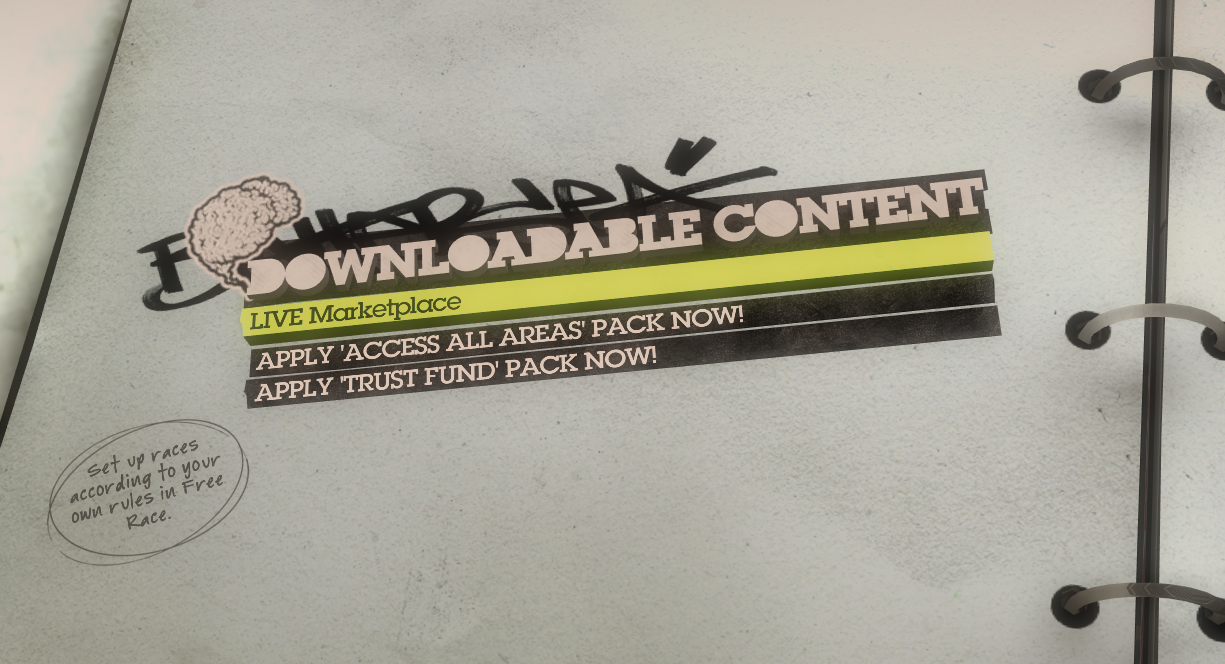
DLC + : Enables the Following Content (DLC Packs, Items, Misc)
– Trust Fund: Unlocks all vehicles, default liveries, and upgrades
– Access All Areas: Unlocks all tracks and events
– Script: Unlocks all horns, dash items, co-driver, max friend lvls
DATABASE : Enables the Following Content (Special Liveries)
– Subaru WRX STI Group N – Sobe No Fear Gold (DiRT 1 Save File)
– Subaru WRX STI Group N – Ravenwest Skin (GRID 1 Save File)
– Subaru WRX STI – Pre Order Skin (Exclusive)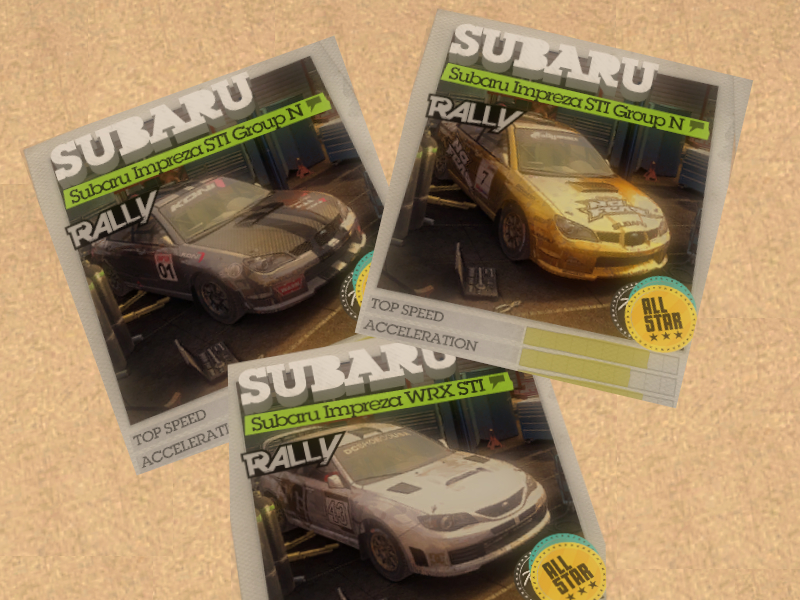
DOWNLOAD IS NOT REQUIRED IF Colin McRae: DiRT 2 GAME WAS OBTAINED FROM THE “HOW TO PLAY” PAGE! – HERE
Download – Unzip – Place all files / folders in the game directory
(Same location as Dirt2.exe): Password = DiRTCENTER
FOLLOWING THESE STEPS WILL APPLY ALL OF THE CONTENT LISTED ABOVE TO WHICHEVER IN-GAME PROFILE YOU SELECT…CANNOT BE UNDONE!!!
1) Run JSGME.exe as administrator
2) Highlight “DLC+ UNLOCKER” , choose “>” to enable it!
3) Highlight “DATABASE UNLOCKER” , choose “>” to disable it!
4) Run DiRT 2. Load the correct profile.
5) Navigate to “EXTRAS” > “DOWNLOADABLE CONTENT” > “APPLY”
6) Start and retire a race to ensure all content becomes unlocked
7) Close your game. Run JSGME.exe as administrator
8) Highlight “DLC+ UNLOCKER” , choose “<” to disable it!
9) Highlight “DATABASE UNLOCKER” , choose “<” to disable it!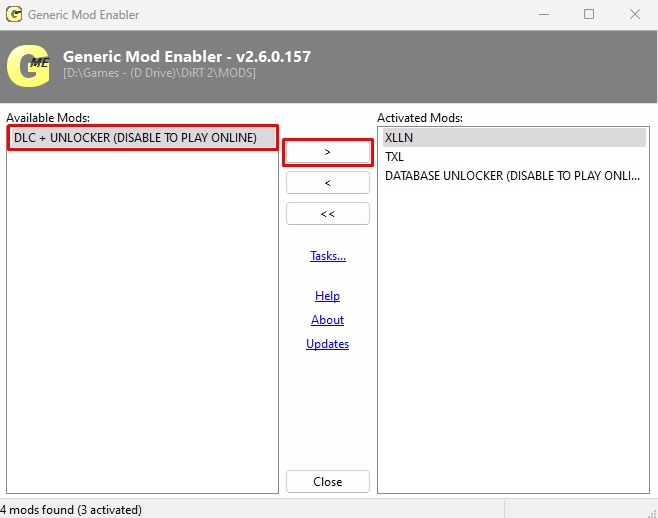
All content will permanently remain on your profile, even after disabling the unlockers… It’s necessary to do so for online functionality!