DOWNLOADING XLLN IS NOT REQUIRED IF Colin McRae: DiRT 2 GAME WAS OBTAINED FROM THE “HOW TO PLAY” PAGE! – HERE
Download – Unzip – Place all files / folders in the game directory
(Same location as Dirt2.exe): Password = DiRTCENTER
Use included JSGME.exe to enable / disable XLLN as you please
“Run as Admin” is recommended: To avoid file transfer issues
1) Run DiRT 2. The XLLN Desktop Window will open automatically.
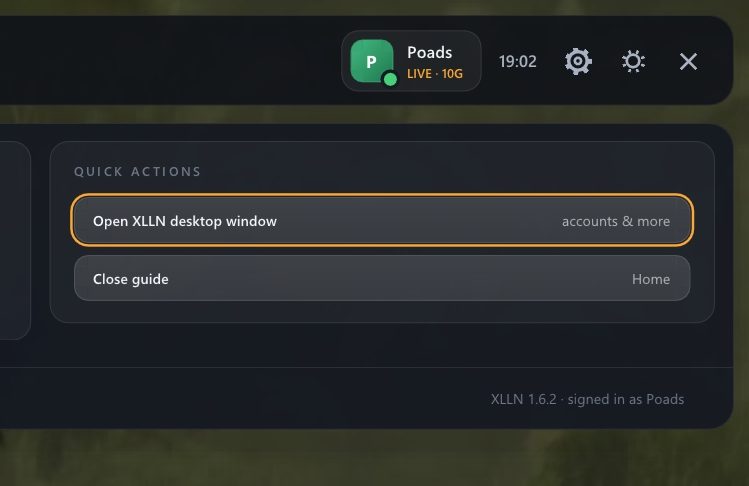
2) If Windows didn’t open, HOME (Keyboard) / GUIDE (Controller)
3) Choose [“HOME” TAB > “OPEN XLLN DESKTOP WINDOW”]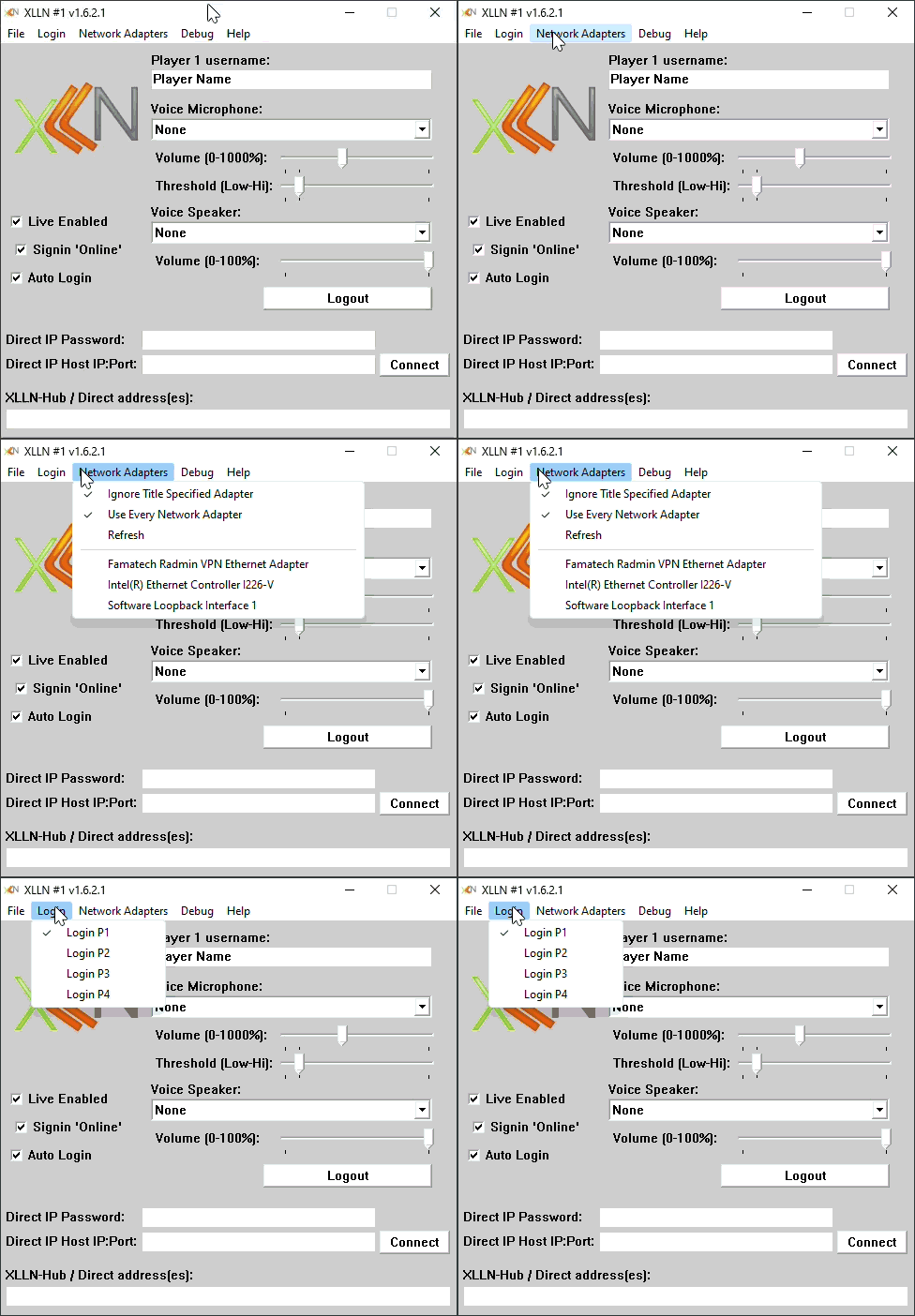
4) Type in the username you prefer.
5) Match your settings with the image above.
6) Press Login Button.
YOU ARE NOW SETUP TO PLAY SINGLEPLAYER!
FOLLOW THE STEPS BELOW TO PLAY MULTIPLAYER!
1) Install Radmin VPN – Download
2) Run Radmin VPN [Join Network > Gaming Networks > Dirt 2]
Note: If stuck on “Connecting” in Radmin, you may need to change DNS setting to be compatible. Example: 1.1.1.1 and 1.0.0.1
Note: If you want to host / connect using Direct IP instead of Private Network or VPN, you’ll need to forward ports 39000, 39001, 1000 TCP/UDP
Note: Leaderboards currently do not function… We suggest visting https://www.speedrun.com/dirt2 to view submitted times. This also helps prevent cheating because submissions are reviewed and approved by real people.